
WordPress Event Tracking: Track Clicks, Forms & Views Without Code
While pageview analytics are essential for understanding traffic flow, the real insights often come from user actions. Knowing what your visitors are clicking, which forms they are submitting, and what content they are truly engaging with is the key to building a better website.
We’ve expanded our no-code tracking tools with a new suite of features. You can now set up WordPress event tracking directly from your settings page and better understand how users interact with your site. This update is now available to all WP Insights Pro customers.
A Full Suite of No-Code Event Trackers
You can now track three of the most important types of user interactions without writing a single line of code.
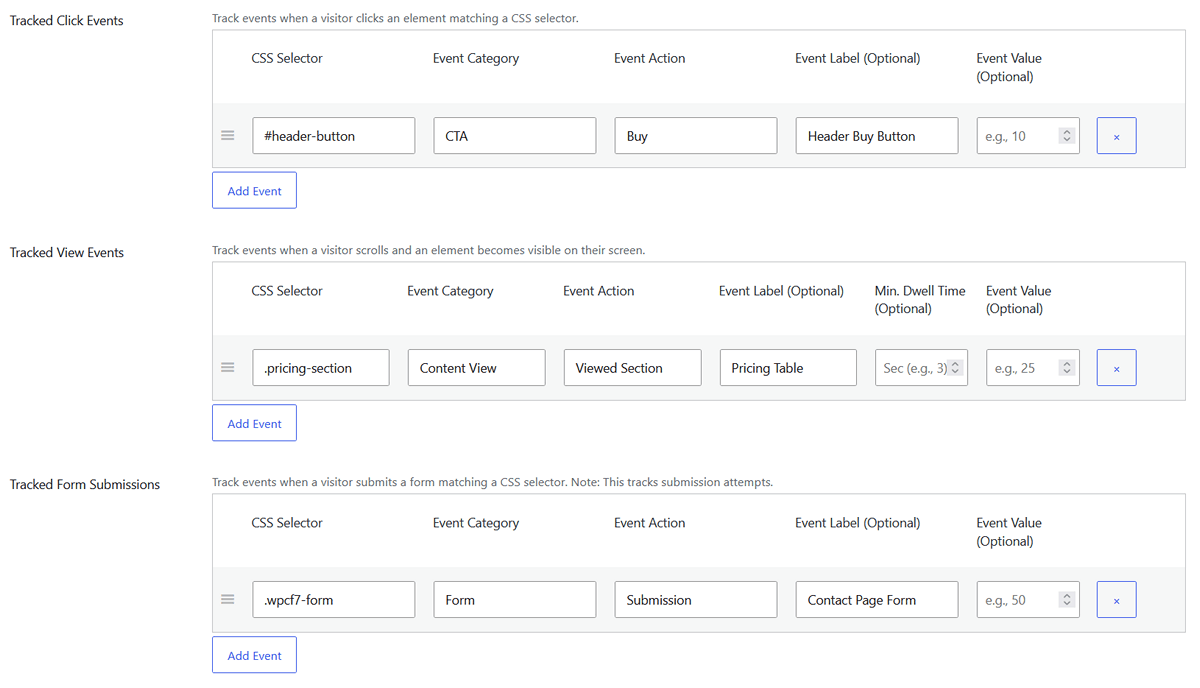
- Track Clicks: Record an event every time a user clicks a key button, link, or any other element on your site. For example, you could track clicks on your “Request a Quote” button to see which pages generate the most interest.
- Track Form Submissions: Fire an event automatically upon standard HTML form submissions to measure leads and inquiries.
- Track Element Views: Trigger an event when a user scrolls to a specific section of a page, allowing you to see if your most important content is actually being seen.
Understand True Engagement with Dwell Time
To make view tracking even more meaningful, we’ve added a “Minimum Dwell Time” setting.
Instead of just knowing if a user scrolled past your pricing table, you can now require that they keep it on their screen for a few seconds (for example, 3–10 seconds) before an event is fired. This transforms a simple view into a strong signal of genuine interest, giving you a much more accurate measure of user engagement.

Go Deeper with Dynamic Placeholders
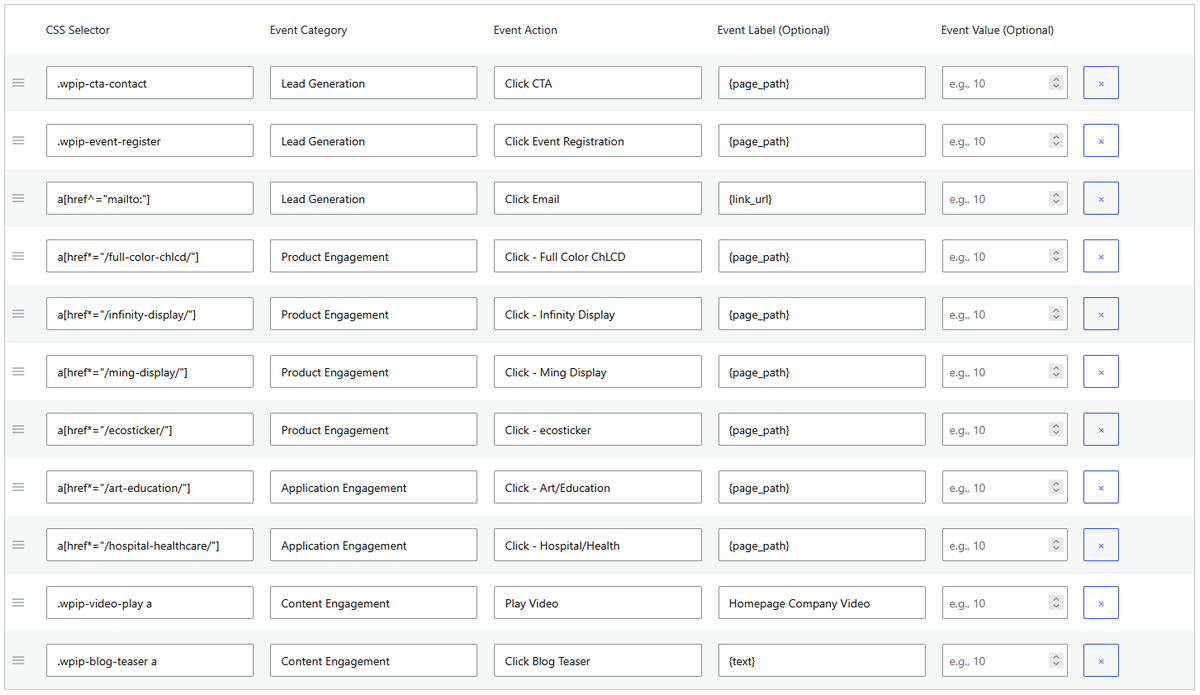
To make your WordPress event tracking even more flexible, we’ve introduced dynamic placeholders. You can now use simple tags in your event labels to automatically capture rich, contextual data from the user’s interaction.
This means you can see not just that a button was clicked, but also what it said—or even which product it was associated with. Here are the placeholders you can now use:
- {text}: Captures the visible text inside the element (e.g., the “Download Now” text on a button).
- {link_url}: Captures the destination URL of a clicked link.
- {attr:name}: A flexible placeholder that captures the value of any HTML attribute (e.g., use {attr:data-product-id} to get a product ID).
- {page_title}, {page_path}, {post_id}: These capture details about the page where the event occurred, giving you invaluable context for your analysis.
For example, on a WooCommerce site, you can use {attr:data-product-id} on “Add to Cart” buttons to capture which product was clicked—without creating separate tracking rules for each item.
You could even combine placeholders like {text} and {attr:data-product-id} to capture both the button label and the product being clicked.
Bonus: Automatic Outbound & Download Tracking
To help you get started instantly, the plugin can also automatically track two key event types right out of the box:
- Outbound Links: See every time a user clicks a link to an external website.
- File Downloads: Get a complete record of every click on a downloadable file (like a PDF, ZIP, or DOCX).
These can be enabled with a single click in the Tracking Settings.
Conclusion
This new suite of tools makes it easier to set up comprehensive WordPress event tracking. By moving beyond pageviews and measuring the actions that matter, you can gain a much deeper understanding of how users interact with your site.
You can update to start using these features right away, or explore WP Insights Pro if you want more control over your analytics.
Ready for Zero-Bloat Analytics?