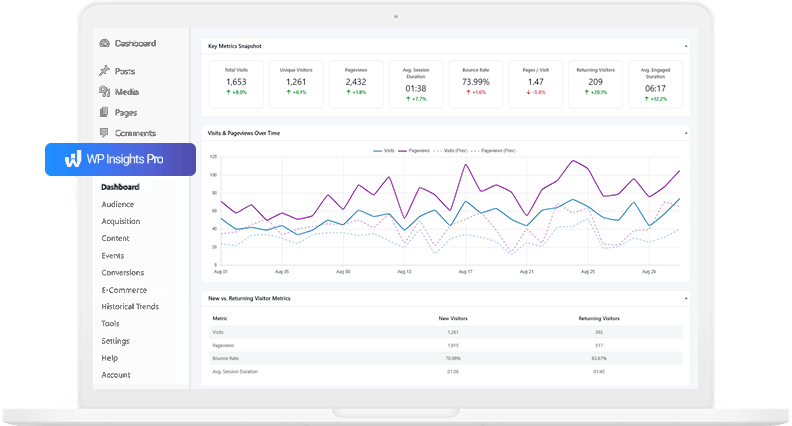

WP Insights Pro 1.0 – Automated WordPress Analytics with Dashboard Widget & Email Digests
For website owners, checking performance should be quick and accessible.
WP Insights Pro 1.0 makes automated WordPress analytics more direct by adding two new ways to view your data: a native WordPress dashboard widget and automated email digests.
You can now see key performance insights directly inside WordPress or receive them automatically in your inbox.
Here is a look at what is new in version 1.0.
The Native WordPress Dashboard Widget
We have added a new widget that sits directly on your main WordPress “Welcome” dashboard. When you log into WordPress, you see a high-level summary of your performance.
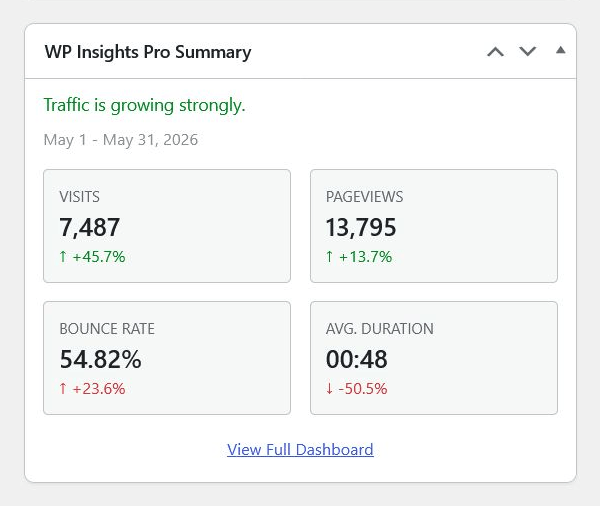
The widget generates a plain-English headline summarizing your current trajectory (for example, “Traffic is growing steadily” or “Traffic is stable, and user engagement has improved”).
Below the headline, a clear 2×2 grid displays your core metrics—Visits, Pageviews, Bounce Rate, and Average Duration—alongside their percentage change compared to the previous period. It’s lightweight, loads instantly without slowing down your admin area, and provides immediate context.
Automated Email Performance Digests
For those times when you aren’t logging into WordPress at all, WP Insights Pro can now send your data directly to your inbox.
You can configure the plugin to send an automated email digest either weekly (every Monday) or monthly (on the 2nd day of the month).
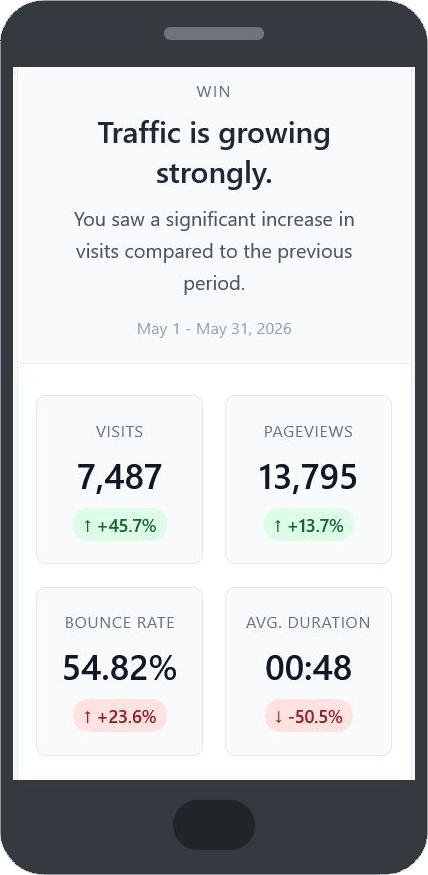
We designed these emails to be highly scannable, so you can stay informed without logging in. They include your overarching performance narrative, your key metrics, and lists of your top-performing pages, traffic sources, and countries.
You can enable this feature and configure your recipient email addresses in the plugin’s Settings > Email Digests tab.
Contextual Documentation Links
Finally, we’ve made it easier to understand your data when you do decide to dive deep into the main reports.
At the top right of every report page (Audience, Acquisition, Content, etc.), you will find a “Docs” link that opens the relevant documentation page on our website.
This link is context-aware and takes you directly to the documentation for the report you are currently viewing.
What’s Next?
Version 1.0 marks an important milestone for WP Insights Pro and sets the foundation for future improvements. Our goal remains the same: to build the most performant, privacy-conscious, and user-friendly automated WordPress analytics experience in the WordPress ecosystem.
If you’re already using WP Insights Pro, you can update to version 1.0 today from your plugins page to start using the new widget and email digests.
If you’re looking for a faster, simpler way to understand your website traffic, you can explore the full features of WP Insights Pro here.
Ready for Zero-Bloat Analytics?