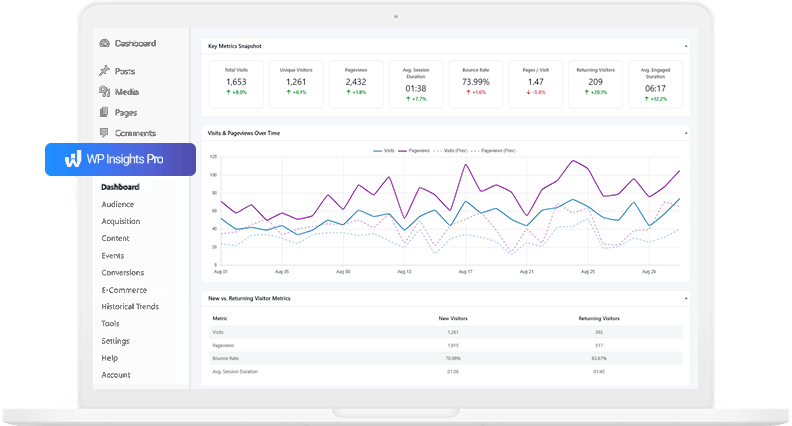

A Lightweight WordPress Analytics Plugin That Lives in Your Dashboard
Analytics are essential for growth, but they shouldn’t come at the cost of your site’s performance. For many WordPress site owners, traditional analytics tools introduce unnecessary friction: external scripts can affect page loading speed, data is often stored on third-party servers, and interfaces are frequently designed for enterprise-level marketing rather than the everyday needs of WordPress users.
WP Insights Pro is a lightweight WordPress analytics plugin designed for site owners who want actionable insights without unnecessary complexity or performance overhead. It provides essential analytics while running entirely within the WordPress dashboard, keeping the experience simple, fast, and privacy-conscious. It also includes built-in content performance reports that highlight which authors, topics, and content types generate the most engagement — something many traditional analytics platforms do not surface clearly by default.
At a Glance: A Lightweight WordPress Analytics Plugin
Let’s look at some of the key differences between a lightweight WordPress analytics plugins and traditional external analytics platforms such as Google Analytics. The goal isn’t necessarily to compare feature counts, but to understand the different approaches to performance, privacy, and workflow integration.
Feature | Google Analytics | WP Insights Pro |
|---|---|---|
Data Hosting | ||
Site Speed Impact | ||
Data Ownership | ||
Cookie Banner Required? | ||
Database Usage | ||
Interface Location | ||
Content Insights | ||
Ease of Use |
1. Performance: Your Site Speed Comes First
Many traditional analytics platforms rely on external JavaScript files loaded from third-party servers. This introduces additional network requests and can contribute to PageSpeed and Core Web Vitals impact depending on the size and behavior of the tracking script.
WP Insights Pro takes a different approach. The tracking script is small, served from your own server, and loaded asynchronously. This means it doesn’t block page content or affect your Core Web Vitals, keeping your site fast while collecting analytics.

2. Privacy & Data Ownership: Take Back Control
One of the biggest differences between self-hosted analytics plugins and external analytics platforms is data ownership. With many cloud-based analytics services, visitor data is processed and stored on third-party servers, which can introduce additional privacy and compliance considerations.
WP Insights Pro is a self-hosted WordPress analytics solution. All data, from the raw logs to the final reports, lives securely on your own server.
- You are not feeding a massive corporate data machine.
- You have 100% control over who sees your data.
- You can easily set data retention policies to automatically delete old information.
- Because our tracking is cookieless by default, you get accurate insights without forcing every visitor to navigate a cookie consent banner.
3. Simplicity & Integration: Analytics Where You Work
Many enterprise-focused analytics platforms are designed to support advanced marketing, advertising, and attribution workflows. While powerful, they can also feel unnecessarily complex for WordPress users who simply want clear insights about their content and audience.
WP Insights Pro lives inside your WordPress dashboard.
The reports focus on the key metrics most site owners need. The interface is simple, uses familiar WordPress elements, and doesn’t require advanced technical knowledge. Metrics such as traffic, events, and goal conversions are easily accessible alongside your posts and pages. And when you need to share those numbers with stakeholders or clients, you can generate a professional, white-labeled PDF report with a single click.
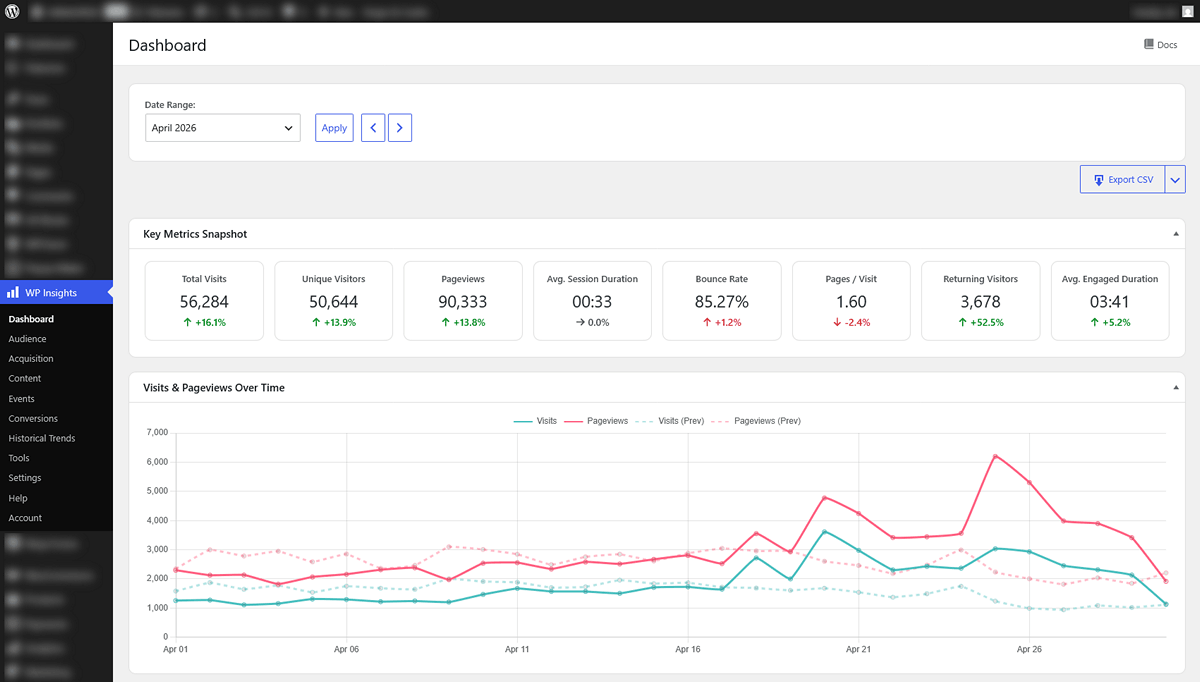
4. Content-Driven Insights
Most analytics tools focus heavily on pages and URLs. But WordPress sites are structured around content: authors, categories, tags, and post types. WP Insights Pro understands this WordPress structure natively, it shows performance grouped by the elements that actually define your content. You can quickly see:
- which authors attract the most engaged visitors and assist in the most conversions
- which content types perform best and drive the highest conversion value
- which topics generate the longest reading time
This makes it easier to make editorial decisions based on real data, not guesswork.
Conclusion: Why Switch to a Lightweight Solution?
Managing a website means balancing the need for analytics with the requirements for speed, privacy, and simplicity. Traditional analytics setups can sometimes make that balance more difficult than it needs to be.
WP Insights Pro is designed for WordPress site owners, agencies, bloggers, and developers who want lightweight WordPress analytics without unnecessary complexity. By keeping your data on your own server and your reports directly inside the WordPress dashboard, it supports a more streamlined and privacy-conscious workflow.
If you’re looking for a WordPress-native analytics plugin that prioritizes performance, privacy, and ease of use, WP Insights Pro may be a good fit.
Ready for Zero-Bloat Analytics?