
How to See Which Content Actually Generates Leads in WordPress
Understand which pages, posts, and traffic sources are truly driving business results.
You spend hours creating content. You write blog posts, build landing pages, publish case studies, and optimize your calls-to-action. Traffic arrives, visitors browse your pages, and analytics dashboards fill with charts and numbers, but one critical question often remains unanswered: Which content is actually generating leads?
For many WordPress site owners, this becomes a major blind spot. You may know your contact form receives submissions, but you cannot clearly see whether those leads came from a blog post, a services page, an SEO landing page, or a marketing campaign.
Without this connection, measuring content marketing ROI becomes difficult. You know content is attracting visitors, but you cannot confidently identify which topics, pages, or traffic sources are contributing to real business growth.
A modern WordPress lead tracking strategy solves this problem by connecting three essential elements together:
- The content users visit
- The actions users take
- The conversions that matter to your business
When these elements are connected properly, analytics stops being passive reporting and starts becoming a decision-making system.
Why Traditional Traffic Metrics Are Not Enough
Many analytics setups focus heavily on pageviews, sessions, and traffic growth. While these metrics are useful, they only describe visibility.
A page with 20,000 visits may generate no business value at all. Meanwhile, a smaller article with only 800 visits could consistently generate qualified leads every month. This is why lead tracking matters. It helps separate:
- Traffic from intent
- Popularity from effectiveness
- Visibility from actual business outcomes
The goal is not simply to generate more traffic, it is to identify which content consistently drives meaningful action. This is where modern WordPress analytics becomes far more valuable than traditional pageview reporting.
The Two Core Components of WordPress Lead Tracking
To understand which content generates leads, your analytics system needs to connect two different types of information.
1. Conversion Events (The “What”)
First, you need to define what counts as a successful outcome on your website. For most businesses, this includes actions such as:
- Contact form submissions
- Quote requests
- Consultation bookings
- Newsletter signups
- Demo requests
- Downloadable resource submissions
These actions represent measurable business intent. Instead of tracking only visits, you begin tracking outcomes.
2. Attribution Data (The “Where”)
Once a conversion occurs, the next step is understanding where that visitor came from and which content influenced the conversion. This includes questions such as:
- Which landing page started the session?
- Which blog post introduced the visitor to the site?
- Which traffic source generated the lead?
- Which content categories attract the most engaged users?
- Which campaigns produce the highest-quality conversions?
This attribution layer is what transforms analytics into strategy. Without attribution, conversions exist in isolation. With attribution, you begin to understand why conversions happen.
Connecting Content to Conversions
A modern WordPress analytics workflow typically follows a simple progression:
- A visitor discovers your content.
- The visitor engages with your site.
- The visitor performs a meaningful action.
- The analytics system connects the conversion back to the original content source.
This allows you to answer high-value business questions such as:
- Which blog posts generate the most leads?
- Which landing pages convert best?
- Which traffic channels and specific marketing campaigns bring qualified visitors?
- Which content topics influence conversions most often?
- Which content should be expanded, updated, or promoted further?
At this stage, analytics becomes much more than reporting. It becomes a content optimization system.
Measuring Content Marketing ROI Inside WordPress
One of the biggest advantages of WordPress-native analytics is the ability to analyze conversions through the structure of your content itself. Instead of viewing analytics only as disconnected URLs, you can begin evaluating performance through:
- Authors
- Categories
- Tags
- Post types
- Landing pages
- Campaigns
This creates a much clearer editorial and marketing picture. For example:
- A category may consistently generate highly engaged leads.
- A specific author may produce content with exceptional conversion rates.
- Certain topics may attract traffic but fail to generate meaningful engagement.
- Some landing pages may generate fewer visits but far more qualified leads.
These insights help prioritize future content decisions using real performance data rather than assumptions. This is where content marketing becomes measurable.
From Reporting to Strategic Decision-Making
The real value of WordPress lead tracking is not simply seeing conversion numbers. The real value is understanding what actions should happen next.
Once your analytics system connects traffic, engagement, content structure, and conversions, you can begin making significantly better strategic decisions. For example:
- Invest more heavily in high-converting topics
- Improve under performing landing pages
- Optimize calls-to-action on high-traffic content
- Identify traffic sources with poor lead quality
- Expand content categories that consistently drive conversions
This is the point where analytics starts influencing growth directly.
The most valuable content on your website is not always the content with the most traffic. It is the content that consistently drives action.
Building a Practical WordPress Lead Tracking Workflow
Modern WordPress analytics tools make this process much easier than traditional enterprise analytics setups. Instead of requiring complex dashboards or custom event configuration, WordPress-native systems can, directly inside the WordPress dashboard, connect:
- Events
- Goals,
- Landing pages
- Traffic sources
- And content structures
This allows site owners, agencies, and marketing teams to focus less on configuration and more on understanding results.
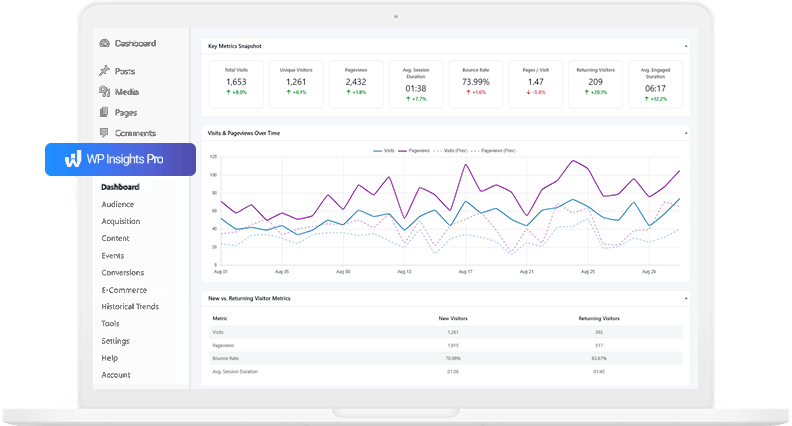
Tools like WP Insights Pro are designed around this type of workflow, combining into a single integrated system:
- Event tracking
- Conversion tracking
- Content analytics
- And WordPress-native reporting
The result is a simpler analytics process that stays focused on actionable business insights rather than overwhelming technical complexity.
Conclusion: Understand What Actually Drives Growth
Effective WordPress lead tracking is not about collecting more data. It is about connecting the right data together.
When you can clearly see which content attracts visitors, which pages create engagement, which traffic sources drive conversions, and which topics generate leads, you move beyond simple traffic reporting and start building a measurable growth strategy.
This is where analytics becomes truly valuable. Not as a collection of charts and metrics, but as a system that helps you make smarter content, marketing, and business decisions over the long term.
Ready for Zero-Bloat Analytics?