
The 4-Level WordPress Analytics Framework (That Actually Drives Growth)
A practical maturity model for turning WordPress analytics into decisions.
Analytics in WordPress often falls into a familiar trap: collecting data without turning it into decisions. Most WordPress site owners end up with analytics plugins or dashboards that collect plenty of data, but still don’t answer the most important question: what should I actually do next inside my WordPress content? This results in “data-rich, insight-poor” reporting, where we see what happened yesterday, but have no clear direction for tomorrow.
A more effective approach is to stop thinking about analytics as a single tool and start thinking of it as a framework with four distinct levels. By progressing through these levels, you can transform raw data into a powerful decision-making engine for your website.
Level 1: Foundational Traffic Metrics (What is happening?)
At its most basic level, analytics answers a simple question: what is happening on my site? This is the foundation, and it includes the metrics we all know:
- Pageviews
- Visits (or Sessions)
- Unique Visitors
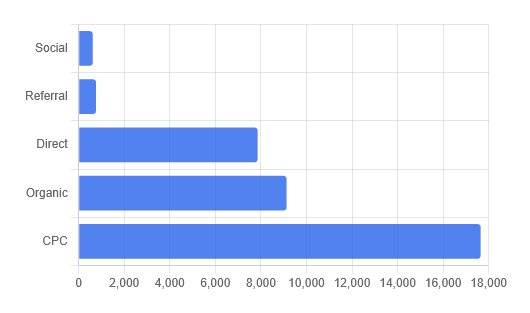
- Referrers (where visitors come from)
This data is essential. It tells you if your traffic is growing and which channels are bringing people to your door. However, on its own, it’s the least actionable level. Knowing that a page received 5,000 visits tells you nothing about whether those visits were valuable. At this stage, you are observing activity—but not yet understanding behavior.
This level provides visibility, not understanding.
Level 2: Engagement & Interaction (What did users do?)
The second level moves beyond passive traffic and starts measuring active interaction. Instead of just seeing that a visitor arrived, you begin to understand what they did. This is where analytics starts to become meaningful.
Key engagement metrics (see our guide on WordPress event tracking) include:
- Clicks on important buttons or links
- Time spent on a page or viewing a specific section
- Downloads of files like PDFs or case studies
- Clicks on outbound links to partners or affiliates
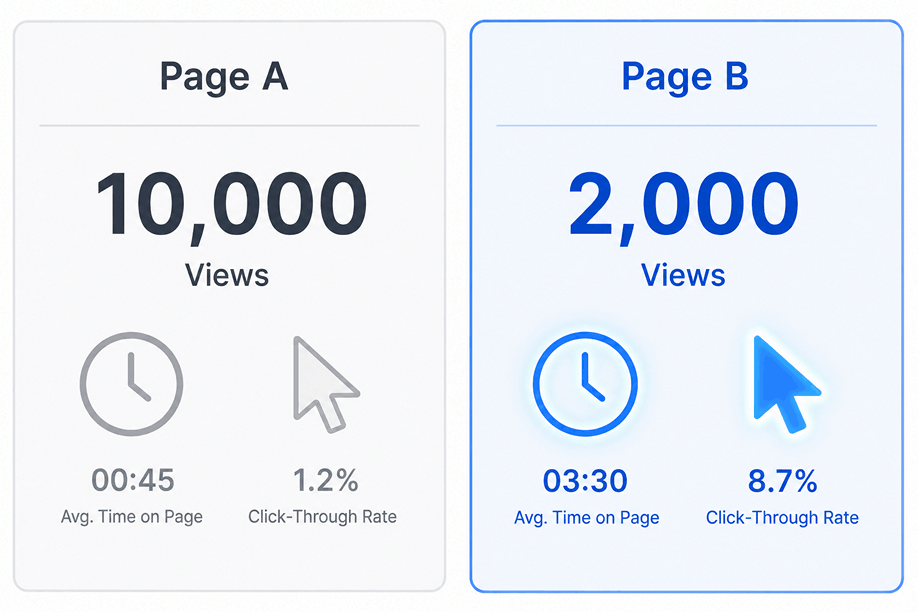
This layer adds crucial context. A blog post with 1,000 visits where users spend an average of three minutes and click to download a resource is far more successful than a post with 10,000 visits where everyone leaves after five seconds. Level 2 helps you distinguish between passive traffic and genuine user engagement.
This level explains behavior, not meaning.
Level 3: Content Intelligence (What works best?)
Once you’re tracking engagement, the next step is to understand the patterns across your WordPress content structure. This is where WordPress-native analytics becomes a powerful advantage.
Instead of analyzing isolated URLs, you begin to group performance by the building blocks of your site:
- Authors: Which writers consistently create the most engaging content?
- Categories & Tags: Which topics attract the most traffic and keep readers on the site longer?
- Post Types: Are your posts more engaging than your pages or products?
This level transforms analytics from a simple reporting tool into an editorial strategy guide. You are no longer just looking at a list of pages; you are analyzing the systems that produce your content. This is where most traditional analytics tools start to break down, because they are built around URLs rather than WordPress content structures.
This is understanding, not action.
Level 4: Strategic Decisions (What should we do next?)
The highest level of analytics is not about looking at the past; it’s about deciding the future. This is where data becomes truly actionable. At this stage, metrics become outcomes, and interactions become decisions.
Instead of asking “what happened?”, you start asking “what should be done next?”:
- What content topics should we invest more in?
- Which underperforming articles should we update or improve?
- Which authors should we ask to write more?
- Which traffic sources are bringing in our most engaged audience or receiving the most revenue attribution?
Decision-making happens when you combine the data from all three previous levels. For example:
- If a Category (Level 3) consistently produces posts with high engagement (Level 2) and contributes to conversions through Assisted Conversions, that’s a clear, data-backed signal that the topic resonates with your audience and deserves further investment (Level 4).
- If a Page (Level 1) gets a lot of traffic but has very low engagement (Level 2) and contributes little or no conversion value (or, for an e-commerce site, little or no attributed revenue), that’s a signal to re-evaluate and improve the page’s content (Level 4).
This is strategy, not reporting.
This is where analytics stops being a chore and becomes your most valuable strategic asset.
Conclusion: From Data Collection to Growth
A modern WordPress analytics strategy isn’t about tracking more metrics; it’s about progressing through these four levels of understanding. Raw traffic is not enough. Engagement alone is not enough. Real growth happens when you connect all the dots into a single, clear decision-making system.
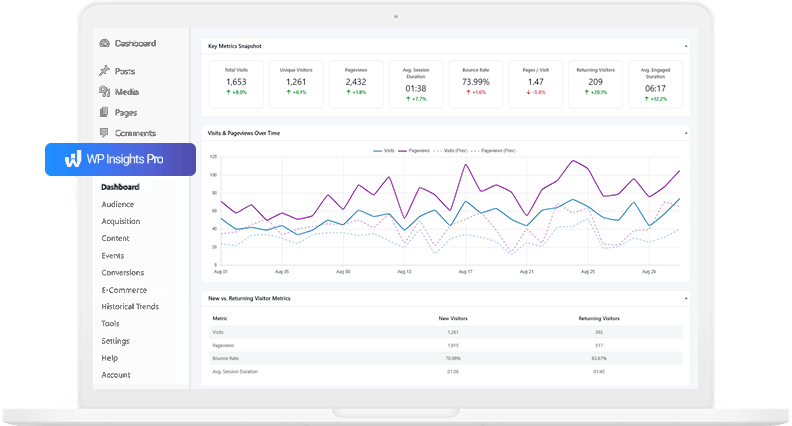
Tools like WP Insights Pro are built around this framework. They not only provide the foundational traffic metrics but also include the built-in “no-code” tools to track engagement (Level 2) and the WordPress-native reports to analyze content by author and category (Level 3), making it easier to reach the strategic insights of Level 4.
When your analytics system is designed this way, it stops being simple reporting—and starts becoming your engine for growth.
This is what a true WordPress analytics strategy looks like when it moves from data collection to decision-making.
Ready for Zero-Bloat Analytics?