

How to Set Up GDPR-Compliant, Cookieless Analytics in WordPress
Running a website today means balancing two legitimate needs: understanding how your site is used, and respecting your visitors’ privacy.
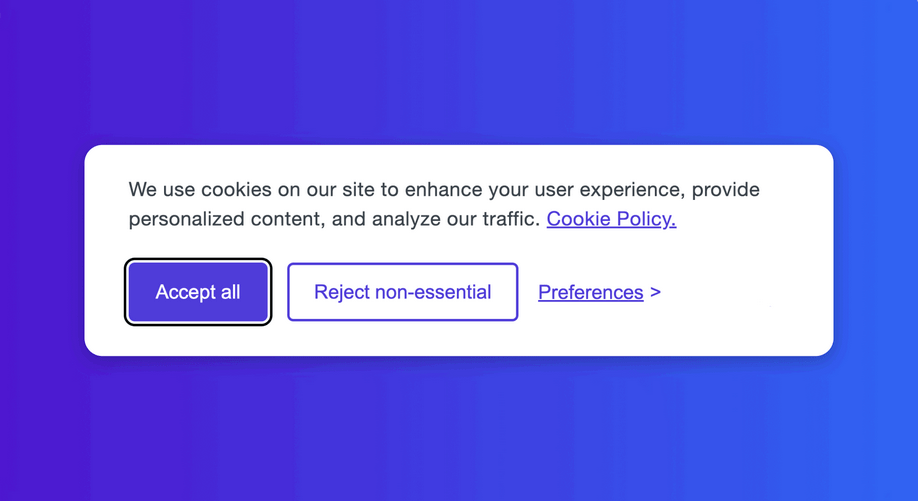
Many analytics tools rely on cookies and consent banners to comply with regulations such as GDPR and ePrivacy. This approach is widespread, but it introduces friction into the user experience and affects how data is collected.
When a visitor declines consent, most traditional analytics tools simply stop tracking altogether. From a reporting perspective, those visits effectively become invisible — present on the site, but absent from the data. Over time, this can distort usage statistics and make it harder to understand how a site is actually being used.
A different approach is possible. By using analytics that do not rely on cookies or personal identifiers, you can collect aggregate, anonymized data without relying on cookies, and in many cases, without requiring a consent banner.
This guide explains how to set up cookieless, GDPR-compliant analytics in WordPress, allowing you to get the data you need without compromising your user’s privacy or experience.
The Real Problem: Cookies and Third Parties
The reason analytics gets so complicated comes down to two things:
- Cookies: Most analytics tools, including Google Analytics, rely on setting “cookies” in your visitor’s browser. These small text files help them identify a user across multiple visits. Under laws like GDPR, placing a non-essential cookie on a user’s device requires their explicit, prior consent.
- Third-Party Data Sharing: When you use a service like Google Analytics, you are sending your visitor data to Google’s servers. You are the “data controller,” but Google is a “data processor.” This cross-border data transfer adds another layer of legal complexity and means you are entrusting your customer data to a third-party tech giant.
WP Insights Pro was built from the ground up to solve both of these problems.
The Solution: Self-Hosted, Privacy-First Analytics
True compliance isn’t about finding a clever consent banner. It’s about changing how you collect data. This is where self-hosted analytics becomes your most powerful tool.
1. You Own Your Data. Period.
With WP Insights Pro, the plugin and all the data it collects live entirely on your server.
- No data is ever sent to us, the plugin creators.
- No data is ever sent to Google, Facebook, or any other company.
You have 100% control. This dramatically simplifies your privacy obligations and gives you peace of mind.
2. Cookieless Tracking by Default
So, how do we identify returning visitors without cookies? We uses a robust, privacy-first method called salted hashing.
When a visitor arrives, we create a unique, anonymous identifier for them on your server. This is a cryptographic hash (SHA256) created from their IP address, browser, and a secret “salt” unique to your site. This means:
- No cookies are ever placed on your visitor’s device for analytics.
- You can still accurately identify returning visitors over days or weeks, giving you a clear picture of user loyalty.
- The original IP address cannot be reverse-engineered from the hash, ensuring the identifier remains pseudonymous.
Because our cookieless analytics for WordPress doesn’t require consent banners, your visitors get a cleaner experience, and you get more complete data.
Your Step-by-Step GDPR-Ready Setup
Here’s how to configure WP Insights Pro to ensure privacy compliance in just a few clicks.
Step 1: Enable IP Anonymization
This is the most critical setting. By anonymizing IP addresses, you are no longer storing what is considered personal data under GDPR.
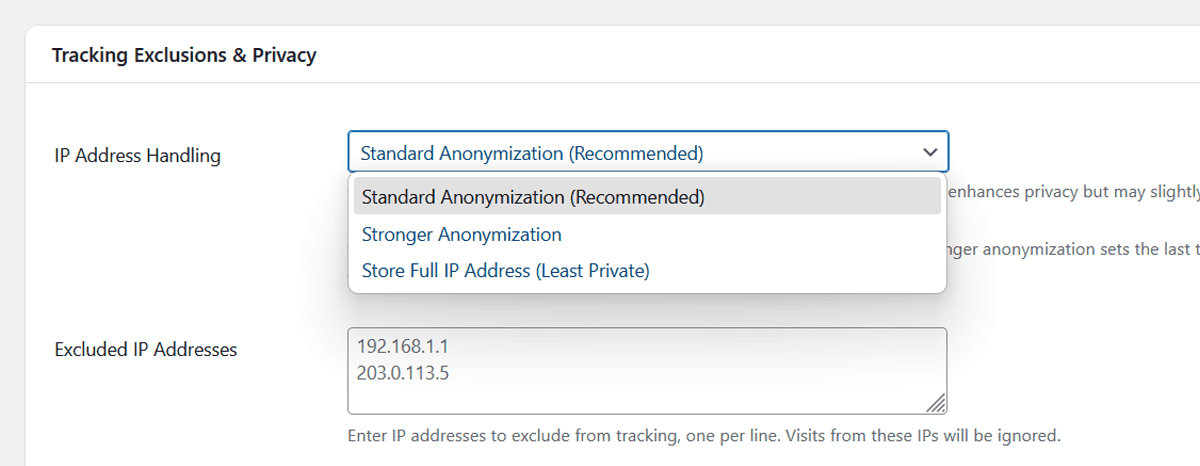
Navigate to WP Insights > Settings > Tracking Exclusions & Privacy. We recommend setting “IP Address Handling” to “Standard Anonymization.” This removes the last part of the visitor’s IP address before it’s ever saved.
Step 2: Exclude Specific IP Addresses
For enhanced data accuracy and privacy, you should exclude your own activity from being tracked. Go to the same Tracking Exclusions & Privacy section and add the IP addresses of your office, home, and developers to the Excluded IP Addresses list.
Step 3: Set Your Data Retention Policy
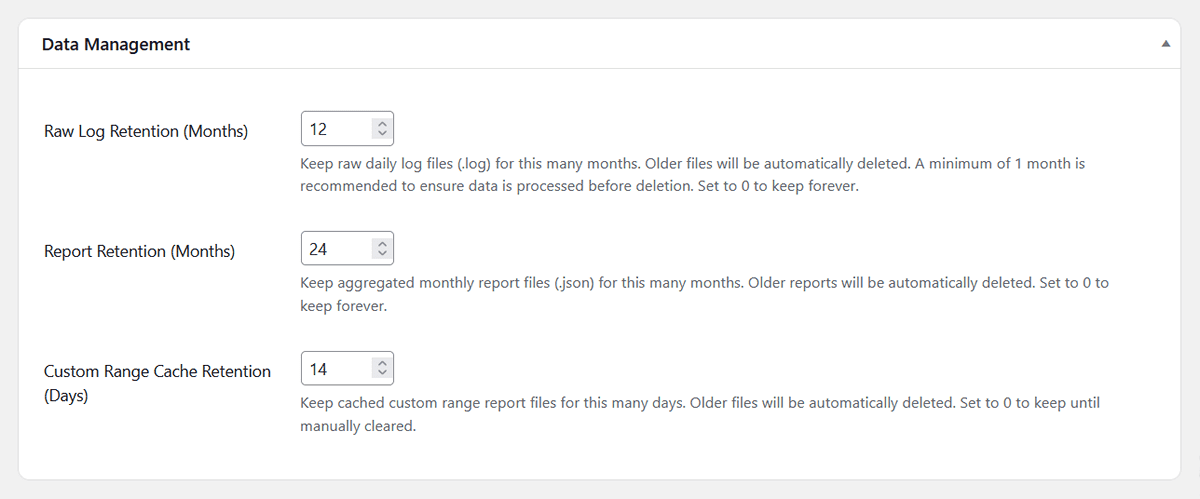
GDPR emphasizes “data minimization”—only keeping data for as long as you need it. In Settings > Data Management, you can set a retention period for your raw logs and reports. This ensures old data is automatically and responsibly deleted.
Step 4: Update Your Site’s Privacy Policy
Transparency is key. You should let your users know you’re collecting anonymized analytics data. Feel free to use this as a template for your site’s privacy policy:
“We use the self-hosted WP Insights Pro plugin for our website analytics. This allows us to understand traffic patterns and improve our site while respecting your privacy. All data is collected anonymously, is stored on our own server, and is never shared with third parties.”
Bonus: Verify Your Privacy Readiness in Seconds
Once you’ve configured these settings, you can get instant confirmation.
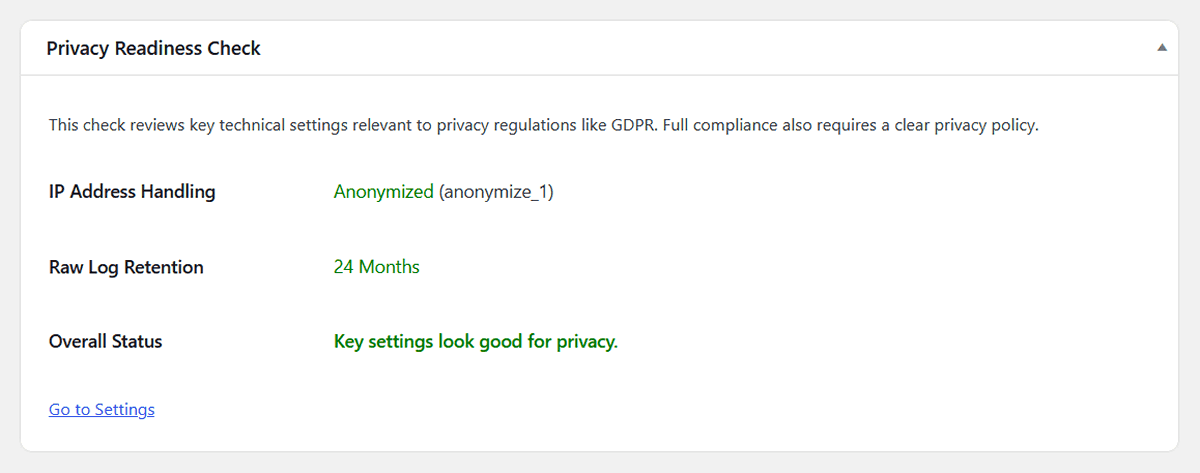
WP Insights Pro includes a built-in Privacy Readiness Check right on the Tools & Status page. This tool automatically scans your key settings and gives you an at-a-glance summary, letting you know that you’re aligned with privacy standards.
Conclusion: Insights Without Compromise
Complying with privacy regulations doesn’t have to mean sacrificing your data or harming your user experience.
Using a self-hosted, cookieless analytics solution like WP Insights Pro lets you keep your data on your server, while still collecting useful, anonymized insights to understand your site traffic responsibly.
Ready for Zero-Bloat Analytics?